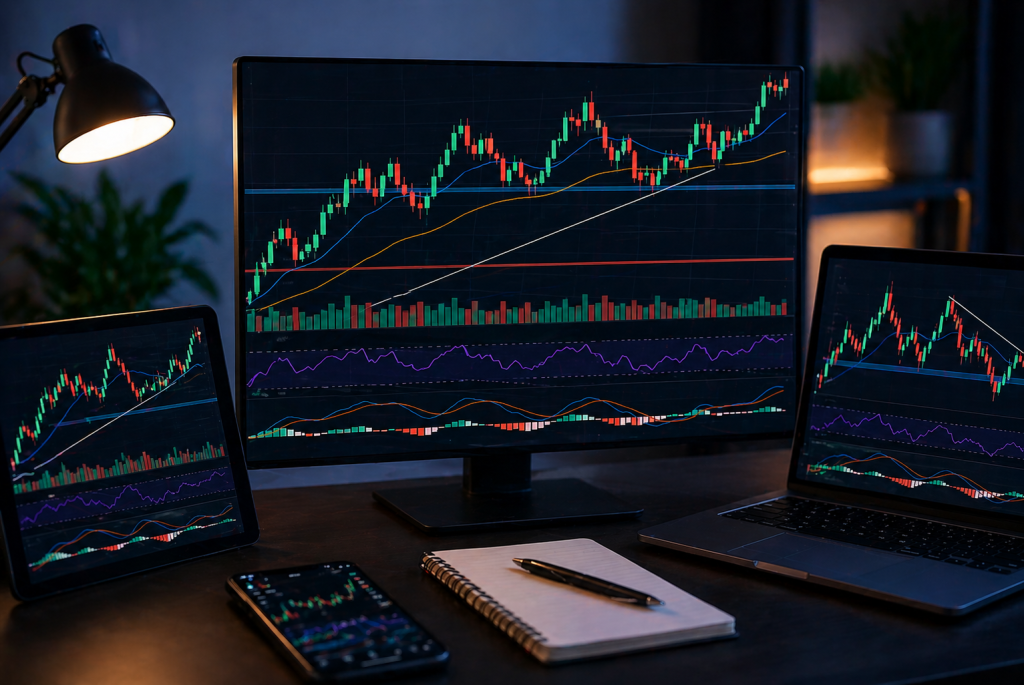
TradingView India has become the go-to charting environment for a large and growing segment of Indian retail traders, from Nifty intraday scalpers to long-term equity investors tracking NSE-listed mid-caps. The platform is powerful. Genuinely powerful. But also well-designed enough that a complete beginner can be doing useful chart analysis within a single afternoon of focused learning.
This is that afternoon.
Table of Contents
Why TradingView for NSE and BSE Traders
TradingView NSE integration carries full data feeds for NSE and BSE listed stocks, indices, and F&O instruments. Nifty 50, Bank Nifty, individual NSE-listed stocks, BSE scrips, sector indices, India VIX, all on one platform with the same charting tools. Data quality is strong. Historical depth covers multiple market cycles.
The free tier is genuinely useful. Multiple charts, a large indicator library, and full NSE and BSE data at no cost. Paid tiers add simultaneous chart layouts and extra indicators per chart, but for beginners and most intermediate traders, free is sufficient to start.
Setting Up TradingView for NSE and BSE
Go to TradingView.com and create an account. In the search bar, type the exchange prefix followed by the stock symbol. For NSE-listed instruments: NSE:NIFTY for Nifty 50, NSE: BANKNIFTY for Bank Nifty, NSE: RELIANCE for Reliance Industries. For BSE instruments, use the BSE: prefix. India VIX is NSE: INDIAVIX.
The prefix matters. Some stocks trade on both exchanges with marginally different price data. Default to NSE for equity charts given higher liquidity.
Once the instrument loads, set your timeframe. For beginners, start with the daily chart. It filters intraday noise and shows price structure in a form that is easier to interpret while you are learning. Move to shorter timeframes once daily chart reading feels natural.
Reading a Candlestick Chart on TradingView India
Each candle on a candlestick chart that TradingView India displays contains four data points: open, close, session high, and session low. Green candles mean close was above open. Red means close was below. The body represents the open-to-close range. The wicks above and below show how far the price traded beyond that range before reversing.
Long wicks are meaningful. A long lower wick signals aggressive buying at the lows. A long upper wick signals selling pressure at the highs. Three patterns worth knowing early: the Doji (open and close nearly equal, signalling indecision), the Hammer (small body, long lower wick at support, signalling potential bullish reversal), and the Shooting Star (small body, long upper wick at resistance, signalling potential bearish reversal).
Context matters more than pattern names. Where on the chart a candle appears tells you more than what it looks like in isolation.
TradingView Drawing Tools Tutorial: Start With Three
The drawing tools panel sits on the left side of the chart. Many options. Most beginners try all of them. Mistake.
Start with three. Master them first.
Trend Line. Connect two price points to define directional trends. A rising trendline connecting higher lows defines an uptrend. A falling trendline connecting lower highs defines a downtrend. When price approaches a tested trendline, it is approaching a zone of historical significance.
Horizontal Line. Mark key support and resistance levels at specific prices. A level where a stock has repeatedly reversed has market memory. Horizontal lines keep those levels visible as the chart develops.
Fibonacci Retracement. Click the start of a significant move, drag to its end. TradingView plots the 23.6%, 38.2%, 50%, 61.8%, and 78.6% levels automatically. The 61.8% level, the golden ratio, has a particularly strong historical track record as a reversal zone during trend pullbacks. Among the most practically useful TradingView drawing tools for Indian equity traders.
Right-click any drawn object to edit or delete. Ctrl+Z to undo. Drawings save automatically to your chart layout.
Best Indicators for TradingView India
Click Indicators at the top of the chart to access the full library. Hundreds of built-in options, thousands more from the community. The choice is overwhelming, which is why beginners end up with cluttered charts full of conflicting signals.
Do not do that. Three well-understood indicators beat fifteen poorly understood ones.
Exponential Moving Average (EMA). Add two: 20-period and 50-period. The 20 EMA tracks short-term trends. The 50 EMA tracks medium-term. When the 20 is above the 50, the trend is bullish. When it crosses below, the trend has shifted. On Nifty’s daily chart, these EMAs frequently act as dynamic support and resistance, with price bouncing off the 20 EMA repeatedly during strong trends.
RSI (Relative Strength Index). Measures momentum on a 0 to 100 scale. Above 70 suggests overbought. Below 30 suggests oversold. More useful than these thresholds is divergence: price making a new high while RSI makes a lower high warns that momentum is weakening. One of the more reliable early warning signals in stock chart analysis in India.
Volume. Displayed below the price chart by default. A breakout on high volume is meaningfully more reliable than one on low volume. Institutional participation confirms moves. Low-volume breakouts fail more often than not.
Three indicators. Trend, momentum, participation. Non-redundant, coherent, sufficient for most analysis.
TradingView Alerts Setup in India
This is the feature most traders underuse. Completely.
Alerts let TradingView notify you via on-screen pop-up, email, or mobile push notification when a defined condition is met. Price crossing a level. RSI is hitting a threshold. A drawing tool is being breached. You define the condition, set the alert, and walk away. The platform watches for you.
To set one: right-click on the chart and select Add Alert, or use the Alert button at the top right. For Indian traders tracking Nifty, a practical setup is a price alert at a key support or resistance level. Nifty consistently holding around 24,200? Set an alert there. No need to watch the chart obsessively.
The TradingView watchlist Nifty setup is equally worth configuring. Add Nifty, Bank Nifty, India VIX, and your active stock list. The watchlist shows real-time price changes across everything simultaneously. One click loads the chart.
TradingView vs Chartink
Indian traders frequently compare these two, and the comparison is worth addressing directly because they serve genuinely different purposes.
TradingView is a charting platform. Its strength is chart analysis depth, indicator breadth, Pine Script for custom tools, and NSE and BSE data quality. If you are doing technical analysis, TradingView is the right environment.
Chartink is primarily a screener. It scans the entire NSE universe for stocks meeting specific technical criteria in seconds. TradingView has a screener, but it is less granular for India-specific scans.
The practical workflow: use a screener to identify candidates, then pull them into TradingView for detailed chart analysis before deciding whether to act. Discovery and analysis are different jobs. Use the right tool for each.
Pine Script Basics India: When You Actually Need It
Pine Script is TradingView’s built-in language for creating custom indicators and strategies. It intimidates beginners. It should not.
You do not need it at the start. The built-in library covers almost everything a beginner or intermediate trader requires. Pine Script becomes relevant when you want something the library does not offer, a specific condition combination, custom alert logic, or a precisely configured strategy backtest.
When you get there, Pine Script basics are genuinely accessible. Clean, near-English syntax. A functional custom indicator in ten to fifteen lines. The Indian trading community has published thousands of open-source Pine Script examples adapted specifically for NSE instruments, including session-based volatility markers, combined NSE and BSE volume indicators, and options-specific tools for Bank Nifty and Nifty.
Learn it when the need arises. Not before.
Putting It Together: A Starting Sequence for Stock Chart Analysis in India
A structured approach to reading any chart on TradingView does not take long once it becomes habitual.
Start with a trend on the daily chart. Higher highs and higher lows, or lower highs and lower lows? Where are the EMAs relative to price?
Identify key levels. Where has the price repeatedly reversed? Mark those zones with horizontal lines. Tested trendlines go on the chart too.
Check RSI. Is momentum confirming the trend or diverging from it?
Look at the volume on significant recent moves. Expanding or contracting? Volume tells you whether the move had real participation behind it.
Set alerts for the levels you want to monitor. Then step back.
TradingView NSE is one of the most practically capable tools available to an Indian retail trader. The learning curve is shorter than it looks. Start with one chart, one stock you already follow, draw the levels, add the EMAs, and watch it for a week.
The pattern recognition builds faster than you expect.