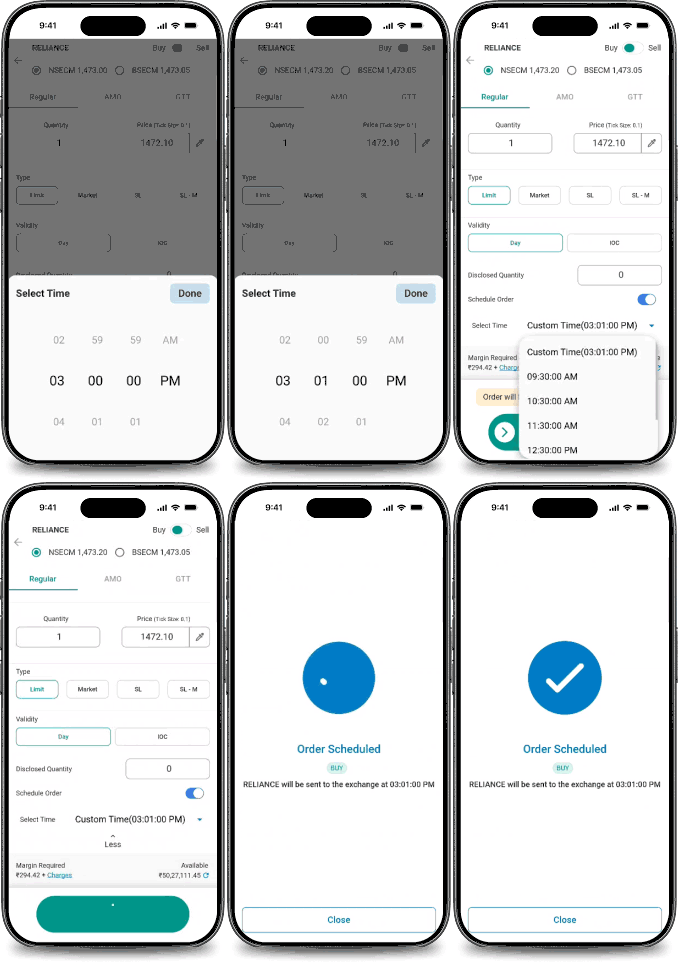
Schedule Order: Trade on Time, Every Time
A Schedule Order lets you decide exactly when your stock order should be placed during market hours. Choose the execution time, enter your order details, and let the system execute the order.
Unlike a GTT order, which waits for a specific price, a Schedule Order follows the clock. It’s an automated order execution system for disciplined, time-based execution without manual intervention.
Whether you’re planning an intraday strategy or looking to schedule stock orders online, Schedule Order helps you trade with precision.
Key Features
Trade at Your Preferred Time
Automated Order Execution
The platform places your order at the selected time for time-sensitive strategies.
Supports Multiple Product Types
Available across all supported Cash Market product categories.
Modify Before Execution
Key Features Edit or cancel your scheduled order anytime before the execution time.
NSE & BSE Coverage
Available for NSE CM and BSE CM segments.
Choose the right order for your strategy
Compare Schedule Order, GTT, and Regular Order to choose the best fit for your trading strategy.
The classis order type. You place it, it goes to market immediately. Full control, real time decision making, no conditions.
- Execution
- Timing Control
- Manual Input
- Strategy Fit
- Immediate
- Fully manual
- Required each time
- Actively intraday trading
Traders who prefer hands-on control & want to react to real-time market movements directly.
Set a price condition & the order executes once the market hits your target. The instruction stays live until it triggers or you cancel it.
- Execution
- Timing Control
- Manual Input
- Strategy Fit
- Conditional
- Price-driven
- One-time setup
- OCO-Target buy / stop-loss
Active traders who want conditional entries or exits without watching the screen all day.
Place orders automatically at a predefined time without mannual intervention. Ideal for discilined, rules-based trading strategies.
- Execution
- Timing Control
- Manual Input
- Strategy Fit
- Fully automated
- Precise to the second
- One-time setup
- Planned/Foresight orders
Active traders who want conditional entries or exits without watching the screen all day.
Why Choose Schedule Order
Schedule Order allows you to schedule intraday & delivery trades in advance without manually placing orders at the execution time. Designed for busy investors and active traders, it offers a reliable pre-market trading platform alternative and stands among the best trading apps for scheduling orders, helping automate time-sensitive trade execution.
Special Pre-Open Sessions
Schedule Order is equally useful during Special Pre-Open Sessions, including:
- IPO Listing Day Auctions
- Circuit-Resumed Stocks
- Re-listed or Reinstated Stocks
Why It Matters
These sessions operate within predefined trading windows where precise timing is critical.
Instead of logging in manually, simply schedule your order beforehand and let the system place it automatically.
How to Place a Schedule Order
Schedule Orders are available on both the Web Platform and the Mobile App.
🌍 On Website

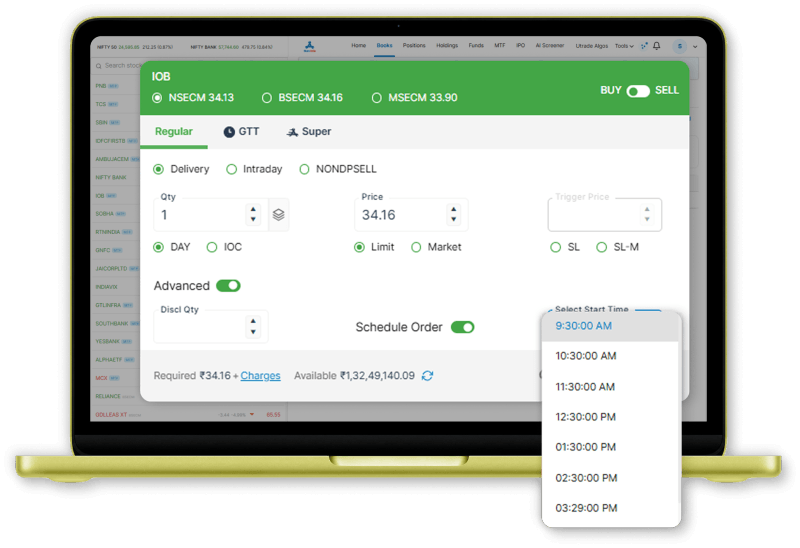
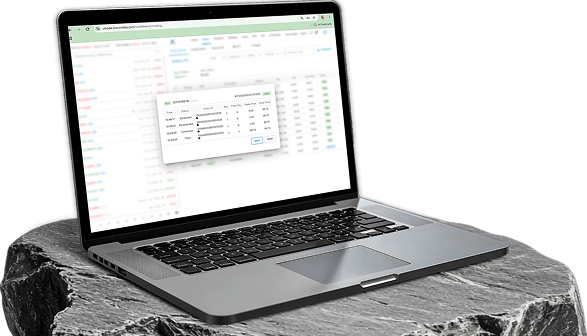
Select your preferred stock, open the Order Form, & enable the Advanced toggle.

Choose Schedule Order, set the execution time & enter the required order details.

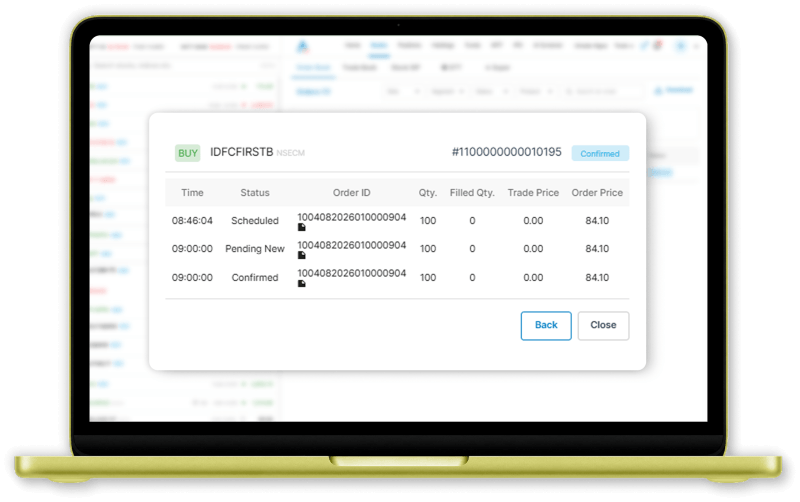
Review and place the order. It will appear in the Order Book with a scheduled status.
📱On Mobile App

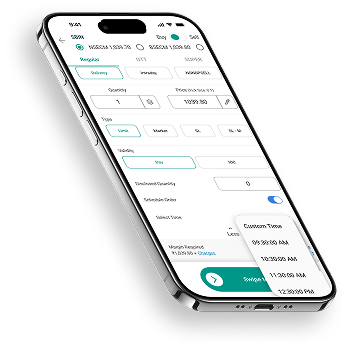
Select your preferred stock, open the Order Form, & enable the Advanced service.

Set the execution time & enter the required order details.

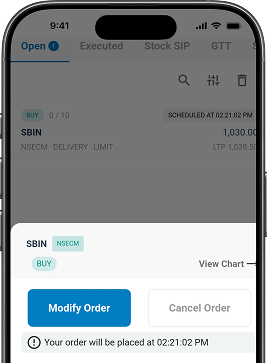
Review and confirm the order. It will appear in the Order Book with a scheduled status.
Modifications and Cancellation
Before the scheduled time:
- Modify quantity, price, or timing
- Cancel the order completely
After the scheduled time passes and the order is sent to the exchange, it behaves like a regular live order and cannot be recalled as a scheduled order.
Who Benefits Most
Working Professionals
Ideal for people who research trades in advance but may be busy during market hours.
IPO and SPOS Participants
Useful for listing day auctions and special trading sessions.
Systematic Intraday Traders
Perfect for traders who use strict time-based trade execution strategies or schedule intraday trades in advance.
Important Things to Know
No Execution Notifications
Schedule Orders don’t send SMS, email, or push notifications after execution. Please check your Order Book for updates.
Same-Day Validity
Schedule Orders remain valid only for the current trading day and expire automatically after market close.
Cash Market Only
Available only for NSE CM and BSE CM segments. Futures & Options are not supported.
Limit Price is Preserved
For limit orders, the entered price is submitted to the exchange at the scheduled time.
Margin Verification Happens at Execution
Margin availability and RMS validations occur when the scheduled order is triggered, not when it’s created.
Ready to Trade on Your Schedule
Stop watching the clock and let technology do the work.
Whether you’re planning your next intraday trade or looking for a smarter way to schedule stock orders online, Schedule Order gives you complete control over when your trade is placed.
Frequently Asked Questions
How is Schedule Order different from AMO (After Market Order)?
An After Market Order (AMO) is placed after-market hours and executes at market
open. Schedule Order lets you place orders after-market hours in India and schedule their
execution at any chosen time between 9:00 AM and 3:30 PM.
How is Schedule Order different from GTT?
GTT is price-triggered, while Schedule Order is time-triggered. It is a time-based trade execution app designed for traders who want orders executed at a specific time.
My scheduled order was placed but not executed. Why?
Schedule Order sends your order to the exchange at the selected time, but execution depends on price matching, liquidity, and market conditions, just like any regular order.
Can I change the time or details of my Schedule Order?
Yes. You can modify the time, price, quantity, or order type any time before the scheduled execution time is reached.
Can I use Schedule Order for IPO listing day SPOS sessions?
Yes. Schedule Order works well for IPO listings and SPOS windows, helping you participate without manually tracking the exact timing.
Can I use Schedule Order for intraday (MIS) trades?
Yes. You can schedule intraday trades in advance as MIS orders and have them executed automatically at your selected time.
How many Schedule Orders can I keep active?
There is no fixed limit. You can maintain multiple active Schedule Orders across different stocks and timings simultaneously.
What happens if the market is halted at the scheduled time?
The automated order execution system sends the order at the scheduled time, but exchange execution depends on market availability and trading status.
Will I receive alerts after my Schedule Order executes?
No. Currently, no SMS, email, or push notifications are sent after execution. Please check your Order Book for status updates.